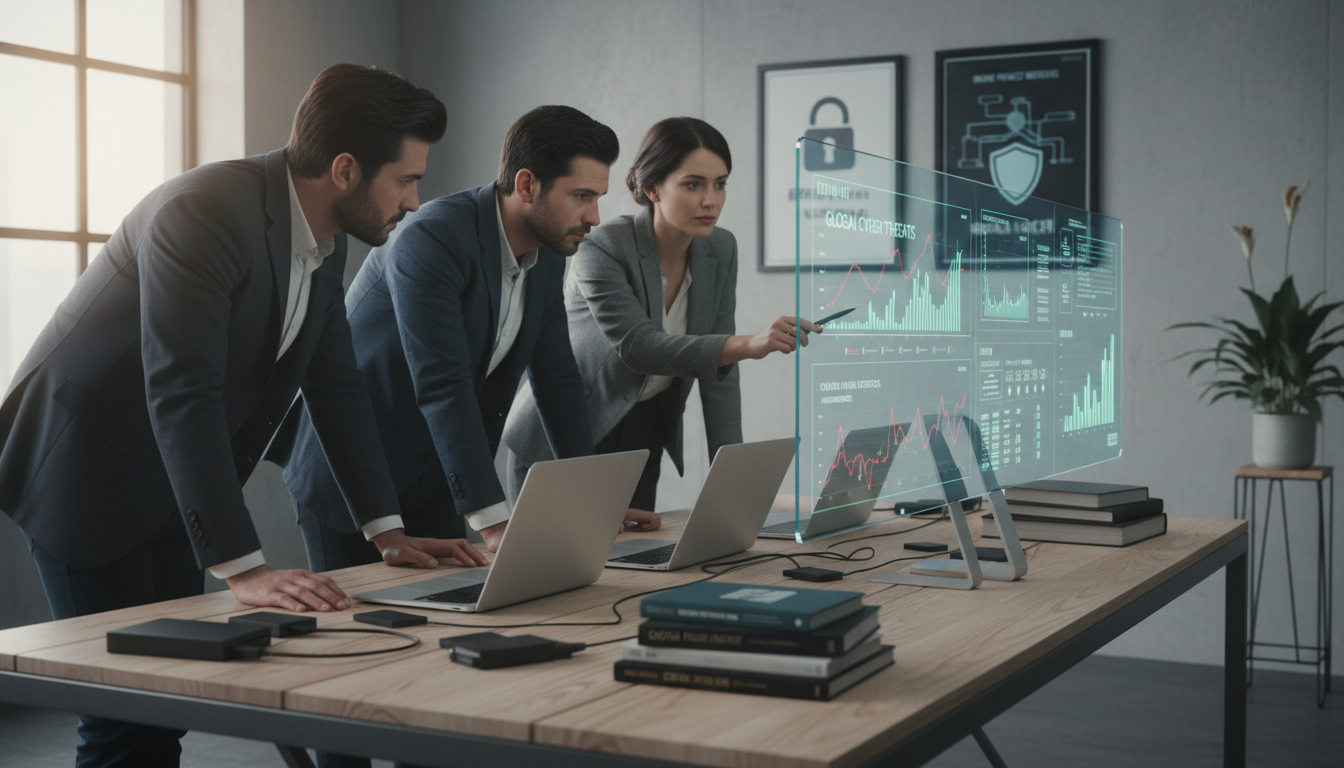
When you think about getting ready for emergencies, you might think of food, water, and power. You also lock doors and keep valuables safe. But, many forget about protecting their digital lives too. Your online presence can be just as risky as physical threats.
About 72% of Americans are really worried about their online privacy. Data brokers track people’s info in over 700 databases. In 2023, identity theft cost U.S. citizens $43 billion. These issues affect millions every day.
Imagine someone watching you through your window or following you to the store. Your digital life needs the same protection. Thieves can steal your identity, empty your bank, and find out about your family. They can even break into your home or harm your loved ones.
Protecting your digital life is not just extra. It’s essential for your safety plan. Secure your devices, keep your communications safe, and manage your online presence. This guide will show you how to do it in four key areas.
You don’t need to be a tech expert to start. Simple steps can greatly protect your info and keep your family safe.
Table of Contents
Why Digital Privacy Matters in Emergency Preparedness
Your digital footprint tells a complete story about your life. Every search, purchase, and location check-in creates a trail that reveals who you are and what you own. For preppers, this information becomes dangerous in the wrong hands. Strong prepper cybersecurity practices protect you from threats that go beyond what most people realize.
The data you leave behind can expose your survival resources, your location, and your preparedness level to criminals and bad actors.
Think about what happens when you buy supplies online, post photos of your home, or use fitness apps. Each action sends data into systems you don’t control. Companies like Google, Meta, and TikTok profit from nearly every click and scroll. Over 90% of the world’s data was created in just the last two years.
This explosion of information feeds into AI systems that predict your behavior and map your vulnerabilities.
The Hidden Vulnerabilities in Your Digital Life
Your smart home devices, social media accounts, and online shopping history create security gaps you might not see. A single post showing your stockpile or survival gear tells thieves what resources you have. Location data from fitness apps reveals your property layout and routines.
Orders from outdoor retailers and survival supply companies create shopping records that link you to preparedness activities.
Survivalist data privacy requires attention to four main problem areas:
- Data stored on your local devices like phones and computers
- Connected devices in your home that can be turned against you
- Information in cloud storage on machines outside your control
- Connections that send your data across the internet
Each connection point represents a vulnerability. Smart speakers, security cameras, and fitness trackers collect information about your daily patterns. Social media posts about survival interests, bulk purchases, or property improvements paint a target on your back.
How Data Breaches Compromise Your Physical Security
When companies suffer data breaches, criminals gain access to your personal information. The Equifax breach exposed details for 147 million Americans. Data from outdoor retailers, gun shops, and survival supply companies could create lists of well-stocked homes.
Criminals use this information for targeted home invasions, identity theft, and social engineering attacks.
OPSEC for preppers means understanding that digital security connects directly to physical safety. A breach at a survival gear retailer gives thieves names and addresses of prepared homeowners. Your financial records reveal the resources you’ve invested in supplies. Your location history shows when you’re away from home.
| Data Breach Type | Information Exposed | Risk to Preppers |
|---|---|---|
| Survival Supply Retailer | Purchase history and home address | Criminals identify homes with supplies |
| Outdoor Equipment Store | Buying patterns and customer names | Creates target lists for theft |
| Financial Institution | Account numbers and spending habits | Enables fraud and social engineering |
| Social Media Platform | Photos, location tags, and contacts | Reveals preparedness level and vulnerabilities |
| Home Automation Service | Device locations and routines | Shows when home is empty |
In emergency situations, those who’ve protected their digital privacy gain a real advantage. Your neighbors and competitors won’t know about your resources. Criminals won’t have your information. You maintain control of your narrative and your security.
Building strong prepper cybersecurity habits today ensures your preparedness stays private and your physical safety remains protected when it matters most.
Understanding the Four Pillars of Digital Security for Preppers
Creating a solid preparedness operational security plan starts with knowing your digital vulnerabilities. Think of it like a home defense system. Just as an unlocked door can let intruders in, a weak digital spot can expose all your info. Attackers only need one weak point to get to your personal data and threaten your safety.
Digital security has four main areas that every prepper should grasp. Each pillar is key to a strong prepper technology safety plan:
- Local Device Data – Info on your phones, computers, and security systems
- Connected Devices – Smart home items like doorbell cameras and voice assistants
- Cloud Storage – Your files, emails, and accounts on remote servers
- Data Connections – Paths your info takes across the internet
Your local devices are like home supplies. You lock doors and windows. Digital devices need the same protection with encryption and strong passwords. Without it, a thief or hacker can get in.
Connected devices are a challenge. Smart home tech lets strangers watch you. These gadgets can be hacked or turned against you if not secured.
Cloud storage seems easy, but it’s like keeping valuables in someone else’s safe. You’re trusting companies like Google or Apple to keep your info safe. Data breaches happen often, risking your private details.
Data connections are like sending postcards. Anyone can read them. Encryption scrambles your message for only the right person to understand. Research on architectural pillars of cyber resilience shows network-wide visibility and data protection are key against threats.
Different attackers target different areas. Hackers look for unencrypted data. Companies collect your info for profit. Governments watch your communications. Knowing these four pillars helps you build a strong preparedness operational security plan against each threat.
Securing Your Devices and Local Data Storage
Your phones and computers are like digital safes. They hold your personal secrets. By securing them, you start a strong defense against cyber threats.
Most devices come with security features you can turn on easily. You don’t need to be a tech expert. Many companies make encryption automatic, working quietly in the background. For those focused on off-grid digital protection, knowing these tools is key to keeping your privacy safe.

Implementing Full-Disk Encryption on Phones and Computers
Full-disk encryption locks all your files. It scrambles data with a code only you can unlock. If someone tries to access your device without your password, they see nothing but gibberish.
This is important for preppers. If your device is confiscated or stolen, it becomes useless to anyone without your encryption key.
Starting encryption is quick on most devices:
- macOS FileVault – Go to System Preferences, select Security & Privacy, then enable FileVault
- Windows BitLocker – Open Settings, go to System, then select Encryption options
- iOS – Encryption activates automatically when you set a passcode
- Android – Settings menu offers encryption under Security options
- Samsung Knox – Built into Samsung devices for automatic protection
- Veracrypt – Open-source option perfect for off-grid digital protection without corporate dependency
Keep your encryption passwords safe. Store them in a fireproof safe or with your emergency documents. Never share them online or via email.
| Device Type | Encryption Method | Setup Time | Cost |
|---|---|---|---|
| Mac Computers | FileVault 2 | 5-10 minutes | Free |
| Windows Computers | BitLocker | 5-10 minutes | Free (Pro/Enterprise) |
| iPhones & iPads | iOS Native Encryption | Automatic | Free |
| Android Phones | Android Native Encryption | 10-15 minutes | Free |
| External Drives | Veracrypt | 15-20 minutes | Free |
Physical Security Measures for Cameras and Microphones
Digital protection isn’t just about software. Physical barriers can stop surveillance too. Your laptop camera, webcam, and microphone can be accessed remotely by hackers. The best defense? A physical block that cannot be hacked.
Camera security is simple. Cover your laptop camera with tape or a sliding camera blocker. Even tech leaders like Mark Zuckerberg use this method. For desktop computers, consider affordable webcam covers that slide open and closed. Security cameras on your property should also receive attention—position them to avoid pointing at neighbors while protecting your property.
Microphones need attention too. Many computers have built-in microphones that capture conversations without your knowledge. Simple solutions include:
- Headphone jack blockers that prevent microphone access through the 3.5mm port
- USB plug covers that prevent device connections
- Dedicated microphone mute buttons on quality headsets
- Hardware kill switches that cut power to camera and microphone circuits
Manufacturers like System76 and Purism build computers with physical kill switches. These switches completely disconnect power from surveillance hardware, making remote hacking impossible. For homestead cyber defense, this represents the ultimate protection level.
Smart home devices deserve special consideration. Alexa, Google Home, and similar products contain always-listening microphones. Ask yourself whether convenience outweighs privacy risks. If you keep these devices, create separate network segments to limit their access to sensitive data. Choose models without always-on microphones when possible.
These physical security measures work like locking your doors at night. They represent common-sense precautions that keep your information safe without requiring paranoia or excessive technical knowledge.
Protecting Your Communications and Online Identity
Your talks share important info about your prepper stuff, where you are, and what you can do. Keeping your talks safe is key to your digital safety. When you talk to family or groups in emergencies, you want to know only trusted people can hear you. But, regular ways to talk can be caught by others.
Think of changing your talk tools like getting new locks. Old ways are not safe anymore. It’s time for privacy-focused tools.
Why Your Current Messages Are Vulnerable
SMS messages are old and easy to read. Cell providers, hackers, and governments can see them. Email services like Gmail scan your messages for ads and help governments too. Your online identity is tracked everywhere you go.
Signal: Your Best Choice for Encrypted Messaging
Signal offers free, safe messaging that no one can get into. It has end-to-end encryption for texts, calls, and files. Edward Snowden says it’s the best app for safe messaging.
Starting is easy:
- Download Signal from your app store
- Create an account with your phone number
- Invite family and group contacts
- Send encrypted messages right away
Backup Options for Prepper Communication Security
Not everyone will use Signal right away. Here’s a backup plan:
| Platform | Encryption Level | Best For |
|---|---|---|
| iMessage | End-to-end encrypted | Apple device users |
| Telegram | Optional encryption | Groups and file sharing |
| End-to-end encrypted | Facebook users (with concerns) | |
| SMS Text | No encryption | Emergency only, not recommended |
Securing Your Email Communications
ProtonMail is a private email service in Switzerland. It’s different from Gmail and Yahoo because it keeps your data safe. Even if hackers get in, your emails stay secret.
Preppers get:
- Safe talks about supplies and plans
- Protection from government data requests
- Secure file attachments
- Email aliases for secret identities
Setting up ProtonMail is quick. Use it for important prepper talks while keeping your old email for less critical stuff. This way, you stay safe without feeling overwhelmed.
Essential Privacy Tools Every Prepper Should Use
Building strong digital security for preppers means using the right tools to protect your information. Think of these tools as locks and alarms for your digital life. They work together to create layers of protection that keep hackers and data thieves away from your accounts and personal details. The good news is that many of these tools are free or very affordable, and most are simple to set up.
Your first line of defense starts with the basics. Most people make the same mistake: they use weak passwords and reuse them across multiple accounts. When one website gets hacked, criminals try those same passwords everywhere. For preppers, this could mean someone accessing your email, banking, or survival supply accounts all at once. The solution is straightforward—use strong, unique passwords for every account.
Password Managers and Two-Factor Authentication
A password manager solves the password problem by creating and remembering complex passwords for you. You only need to remember one strong master password. Popular options include:
- LastPass — User-friendly paid service with great features
- 1Password — Another solid paid option with strong security
- KeePass — Open-source and free, appeals to preppers who want transparency
- Bitwarden — Open-source alternative that doesn’t depend on commercial companies
After you set up a password manager, add Two-Factor Authentication (2FA) to your critical accounts. Two-factor authentication works like a double lock on your door. Even if someone steals your password, they cannot access your account without the second factor. This second factor usually comes through your phone via a code or an app like Google Authenticator. Enable 2FA on your email, bank accounts, and social media accounts first.
VPNs and Private Browsing Solutions
A Virtual Private Network (VPN) creates a secure tunnel for all your internet activity. Your internet provider normally sees everything you do online, but a VPN hides your location and encrypts your data. Security experts recognize VPNs as effective tools that discourage even sophisticated surveillance. For digital security for preppers, a VPN prevents your internet provider from selling your browsing data and protects you on public WiFi networks.
Choose VPN services that offer strong privacy protections:
| VPN Provider | Key Feature | Best For |
|---|---|---|
| Proton VPN | No-logs policy, privacy-focused | Users prioritizing privacy |
| ExpressVPN | Fast speeds, many server locations | Streaming and general use |
| IVPN | Open-source, transparent audits | Technical users and preppers |
| Mullvad VPN | Anonymous accounts, no registration | Maximum anonymity seekers |
Never use free VPNs — they make money by selling your data to advertisers and other companies. That defeats the entire purpose of using a VPN.
For your browser, switch to Brave, which provides built-in privacy protections and blocks ads automatically. Then add browser extensions for extra protection:
- Privacy Badger blocks hidden trackers
- uBlock Origin stops ads and malicious scripts
- HTTPS Everywhere forces secure connections
- Decentraleyes prevents tracking through content networks
Encrypted Messaging Apps for Secure Communications
Your text messages and emails are not private by default. Phone companies and email providers can read them. For preppers who need to communicate sensitive information, encrypted messaging apps protect your conversations from hackers and surveillance.
The best option is Signal, a free app built by security experts. Signal encrypts every message end-to-end, meaning only you and the person you are talking to can read your messages. Not even Signal can read them. Set up Signal on your phone, then invite family members and emergency contacts to use it. You can also send disappearing messages that automatically delete after a set time.
Start your digital security for preppers journey step by step. Begin with a password manager and two-factor authentication. Next, add a VPN and switch your browser to Brave. Then, move your important communications to encrypted messaging apps. These practical tools create strong protection without requiring technical expertise.
Removing Your Digital Footprint from Data Brokers
Data brokers collect and sell your personal info for money. Over 700 of them track each person worldwide. They get your data from public records, online actions, and social media.
Your digital trail shows a lot about you. Brokers collect your address, phone, email, and more. This info is sold to many, putting your safety at risk.
Why Data Brokers Threaten Your Privacy
Data brokers are a big risk for your safety. They can use your info for:
- Identity theft and scams
- Targeted attacks on your family
- Scams based on your interests
- Showing your preparedness to criminals
- Tracking your location
Data Removal Services That Work
Professional services can help delete your info from brokers. They automate the process for you.
| Service Name | Cost | Best For |
|---|---|---|
| Permission Slip | Free | Budget-conscious users wanting basic protection |
| Cloaked | Paid subscription | Creating disposable email and phone numbers |
| Optery | $100-200 annually | Comprehensive data broker scanning |
| DeleteMe | $150-200 annually | Ongoing monitoring and removal services |
Taking Action Today
Removing all data is hard because brokers always collect more. Aim for a big reduction instead. Choose a service that fits your budget and take more privacy steps:
- Use privacy-focused email services
- Avoid loyalty programs
- Pay cash for survival gear
- Limit social media info
- Check public records for removal
Keeping your digital footprint in check is like updating passwords. By reducing your data profile, you protect your privacy and keep your plans safe.
Conclusion
Digital security is not something you tackle all at once. It’s like building prepper skills gradually. Start with simple steps like using a password manager and enabling two-factor authentication. These steps are easy and create a solid base.
Once you’re comfortable, add more layers. Use a VPN and a private browser like Brave. These tools help protect your online life.
Your data is yours, and keeping it safe is key. Privacy is about freedom, and many are trying to take that away. But, you have tools to fight back. The Electronic Frontier Foundation offers guides and tools to help you.
For preppers, digital security is essential. It’s like securing your home and supplies. In emergencies, those who protect their digital lives have an edge. They keep their information safe from hackers.
Teach your family and friends about digital security. When everyone is secure, your group becomes stronger. You can take control of your privacy today.
FAQ
Why is digital security important for preppers if I’m already focused on physical preparedness?
Digital security is key to being fully prepared. It’s not just about having food and water. Your online presence can show what you have and where you are. This makes you a target for bad people.
Keeping your personal info safe is not just about privacy. It’s about keeping your family safe and your plans secure.
How can my social media posts and online activities compromise my security as a prepper?
Even simple online actions can be risky. Sharing photos of your supplies or talking about your plans online can attract unwanted attention. Your devices and online history can create a detailed profile for hackers.
For example, hackers can find out when you’re away and what you have. This is why keeping your online life private is so important.
What exactly is meant by the “four pillars of digital security”?
The four pillars cover different areas of digital security. Pillar 1 is about protecting data on your devices. Pillar 2 is about smart devices that can be hacked. Pillar 3 is about cloud data, and Pillar 4 is about data in transit.
Each pillar is important, and a weak point can be exploited. So, it’s essential to protect all four.
How do I enable full-disk encryption on my devices?
Full-disk encryption locks your data in a safe. If your device is lost or stolen, your data stays safe. Here’s how to turn it on:
For Macs, go to System Preferences > Security & Privacy > FileVault. For Windows, open Settings > System > About, then click “Device encryption.” For iOS, encryption is automatic with a strong passcode. For Android, go to Settings > Security > Encrypt Phone.
For off-grid situations, Veracrypt is a good option. Store your encryption passwords safely, like in a fireproof safe.
What physical security measures can protect my devices from surveillance?
Physical barriers are hard to bypass. Use camera covers for your devices and block microphones with headphone jacks. Choose privacy-focused devices and be cautious with smart home gadgets.
These steps are like locking your doors. They’re essential for keeping your devices safe.
Why is Signal better than WhatsApp or other messaging apps?
Signal offers end-to-end encryption for free. It’s easy to use and keeps your messages safe. WhatsApp, owned by Facebook, has privacy concerns. Telegram is okay for chats but not for groups.
For preppers, Signal is the best choice. It keeps your communications secure.
What should I use instead of Gmail for email privacy?
Gmail scans your emails for ads and shares data with authorities. ProtonMail is a privacy-focused alternative. It uses encryption and doesn’t scan your messages.
ProtonMail keeps your emails private. Use it for sensitive communications. Also, use email aliases to keep your online identity separate.
What’s the difference between a password manager and just memorizing passwords?
Most people use the same password for many sites, which is risky. A password manager creates strong, unique passwords for you. It’s safer than trying to remember many passwords.
Popular options include LastPass and 1Password. Store your master password safely, like in a fireproof safe.
How does two-factor authentication (2FA) improve my account security?
2FA adds an extra layer of security to your accounts. Even if someone gets your password, they can’t access your account without the second factor. This is like having a deadbolt on your door.
Enable 2FA on important accounts. Use a VPN and strong passwords for extra security.
What is a VPN and why would a CIA professional recommend it?
A VPN encrypts your internet traffic and hides your identity. It’s like sending postcards through a trusted intermediary. A CIA expert recommends VPNs for their effectiveness.
VPNs protect your online activities from surveillance. Choose a reputable VPN provider for the best security.
Which web browser provides the best balance of privacy and usability?
Brave browser is a good choice for most people. It blocks ads and tracking, making it more private than Chrome. Add privacy extensions for extra protection.
Brave is easy to use and works well with a VPN. This combination offers strong privacy and security.
What are data brokers and why are they a concern for preppers?
Data brokers collect and sell information about you. They can reveal your preparedness level and resources. This makes you a target during emergencies.
Reducing your data broker footprint is important. It helps keep your preparedness level private.
How do I get my family and mutual assistance group to adopt secure communications?
Explain why secure communications are important. Start with Signal, as it’s easy to use. Guide your family and group members through setting up secure accounts.
Emphasize the importance of digital security. It’s like having a plan for emergencies.
Where should I store my passwords and encryption passphrases for emergencies?
Store your passwords and encryption passphrases in a fireproof safe. This ensures your family can access important accounts in emergencies. Keep your master password safe, like in a fireproof safe.
This bridges the gap between digital security and emergency preparedness. It keeps your security measures effective.
Can I implement digital security gradually or do I need to do everything at once?
You can implement digital security gradually. Start with a password manager and 2FA. Then, add a VPN and switch to Brave browser.
Every step you take improves your security. View it as an ongoing practice, like updating your emergency plans.
What resources should I follow to stay informed about digital security threats?
Follow the Electronic Frontier Foundation (EFF) for updates on digital security. They provide free resources and advocate for privacy. Their website has guides on surveillance and encryption.
Stay informed about digital security like you would about emergency preparedness. It’s an ongoing practice that evolves with threats and technology.
How does digital security relate to my overall OPSEC (operational security) strategy?
Digital OPSEC is as important as physical OPSEC. Your online presence can reveal your preparedness level and resources. This makes you vulnerable to bad actors.
Protecting your digital footprint is essential. It keeps your efforts safe from exploitation.